

 Light bulbs are so last century! Today lighting isn’t just a multitude of colours, but it takes amazing shapes too. Like the Linkind EP6 Smart Hexagon panels. In this review I’m going to install them in my home, so I’ll tell you what it’s like, how they work, and what you can do with them. Plus these lights have a few unique features which we’ll touch on. I’d also like to say thank you Linkind for sponsoring this post.
Linkind EP6 Smart Hexagon Panels Review
What are Linkind EP6 Smart Hexagon Panels?
The Linkind EP6 is a set of seven wall-mounted, colour changing smart hexagon light panels. The EP6 uses a special lighting technology called AuraScape™, which takes advantage of new lighting technology which allows the panels to create a much more graduated, blended colour scene, where colours can mix more seamlessly and create a subtle backlight glow. We’ll get to more on this in just a few moments.
Unboxing & Installation: Linkind EP6 Smart Hexagon panels
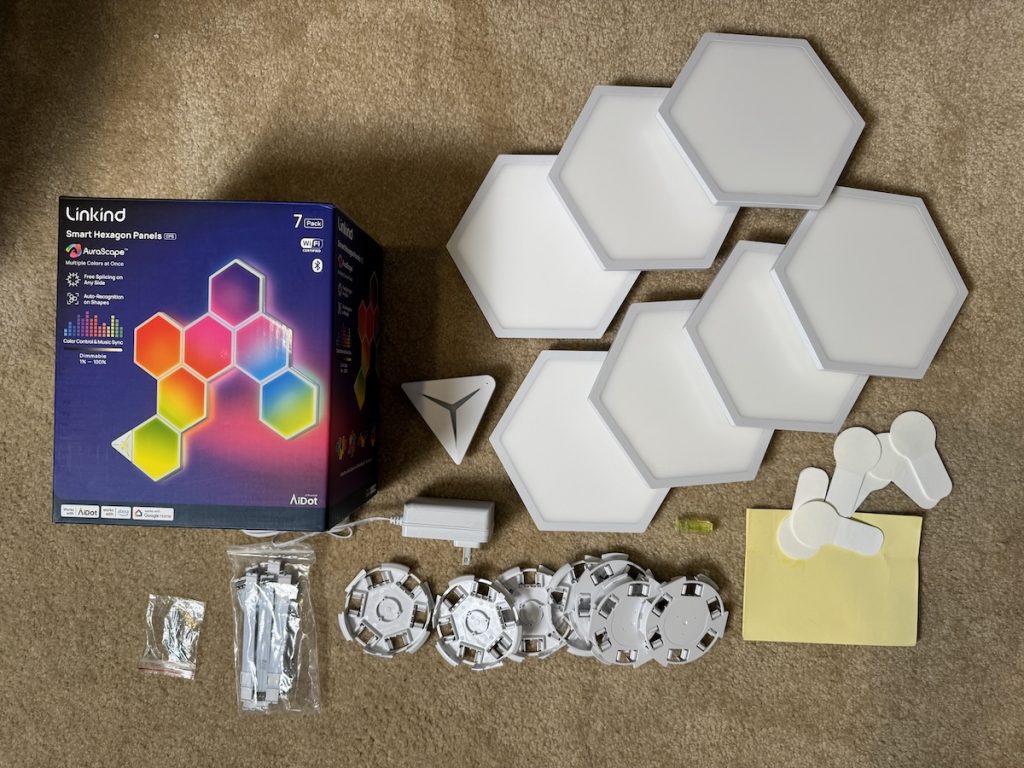 In addition to the light panels, a power adapter and controller, the Linkind EP6 comes with an installation hardware kit that includes seven mounting bases, seven cardboard templates, and a spirit level and angle ruler. Don’t feel too alarmed by all the hardware because the key to installation involves figuring out your lighting layout.
Step 1: Create a design
A good first step is to unbox all of the components and lay the panels out on a table or the floor to create the design you are looking for.
Thanks to Linkind’s Any Side Connect design, which allows you to link panels from any of the six sides, you have a ton of flexibility in where you can place the panels, especially compared to traditional fixed-point designs.
In my space I opted to brighten up a dark corner of my home office by having the light panels climb up the wall. The flexibility of the Any Side Connect allowed me to make a design quickly and easily.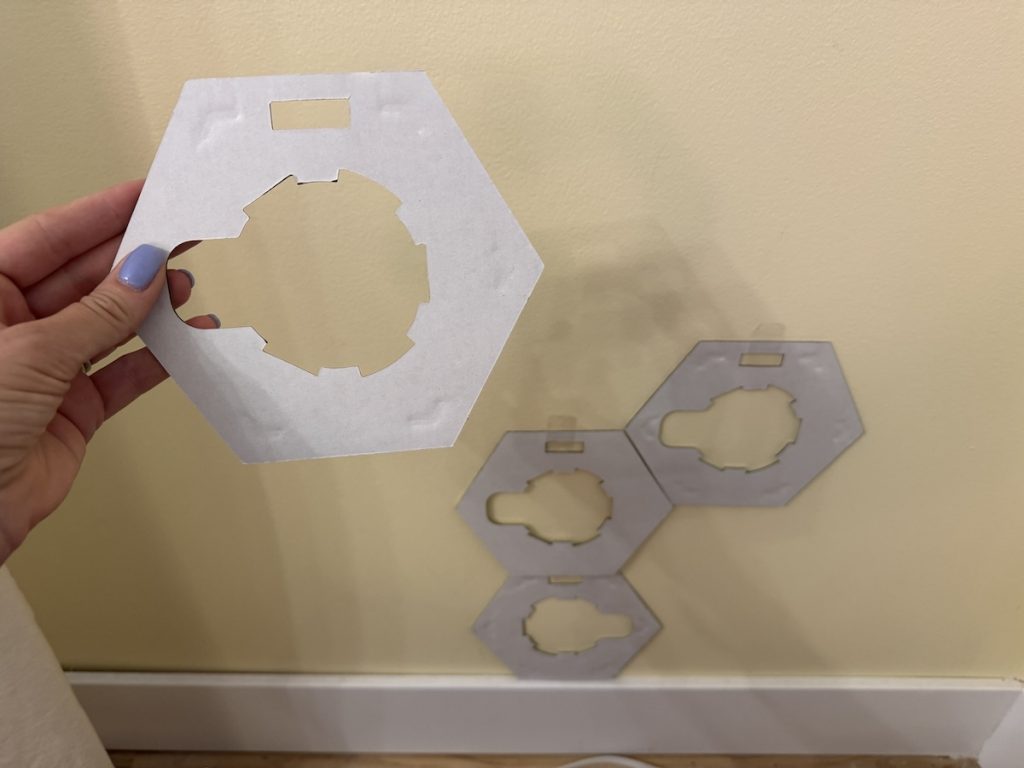
Step 2: Transfer to wall using templates
Once you finalize your layout, you can use the cardboard templates, and the small level and tape to begin transferring your design to the wall. Placing the rest of the templates is even easier thanks to the angle ruler as it helps perfectly position adjacent templates at any side.
Step 3: Place mounting brackets
The center cutout on the template is where you’ll place the mounting base. Linkind also includes 9 adhesive backings and 21 nails, giving you the option of nailing the bases to the wall or simply sticking them on. The adhesive backing is round with a tab that fits into the opening of each mounting bracket to allow you to easily grasp and remove them if you need to.
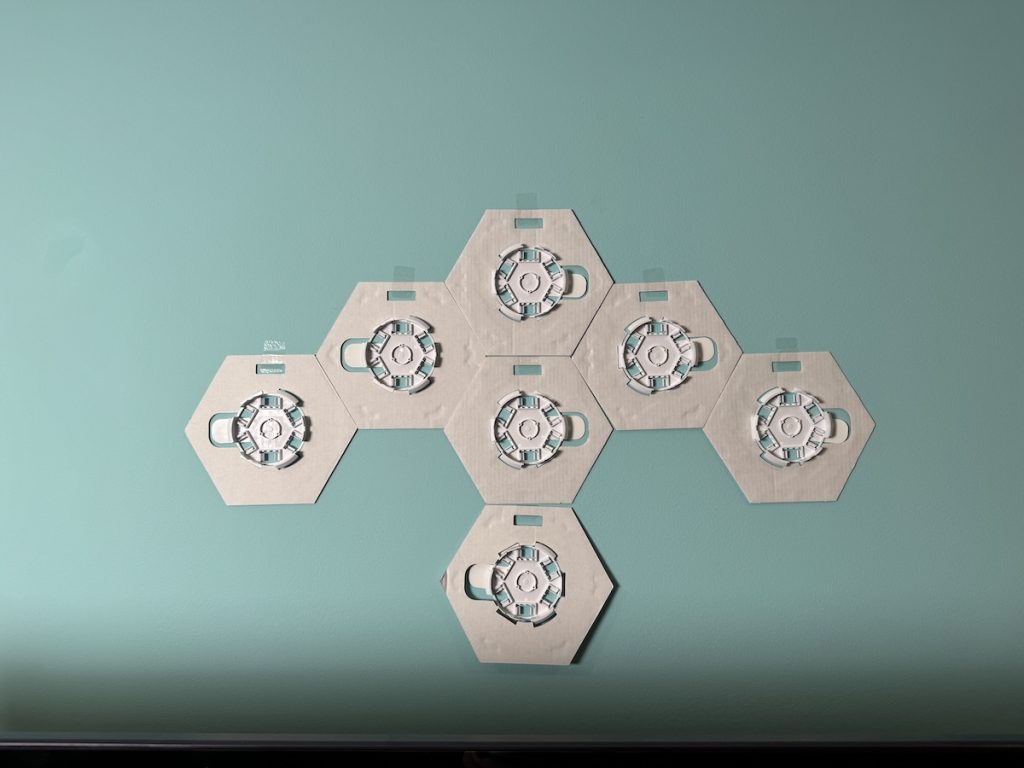 If you only bought a single Linkind EP6 set, you want to make sure each panel has at least one adjacent neighbor on any of the six sides because the included six hard linking brackets are just long enough to connect to a panel placed directly next to it. Also included is a flexible linking bracket for connecting panels at corners or even the ceiling.
Step 4: Remove templates & add connectors
Once you place all seven templates and brackets, you can remove the cardboard templates and install your connectors between each bracket. These connectors are what unites each panel to the next and allows for seamless flow of color. The connectors snap into tiny spaces at the back of each bracket. If you’ve used the template correctly each connector should clip seamlessly into place without adjustments needed.
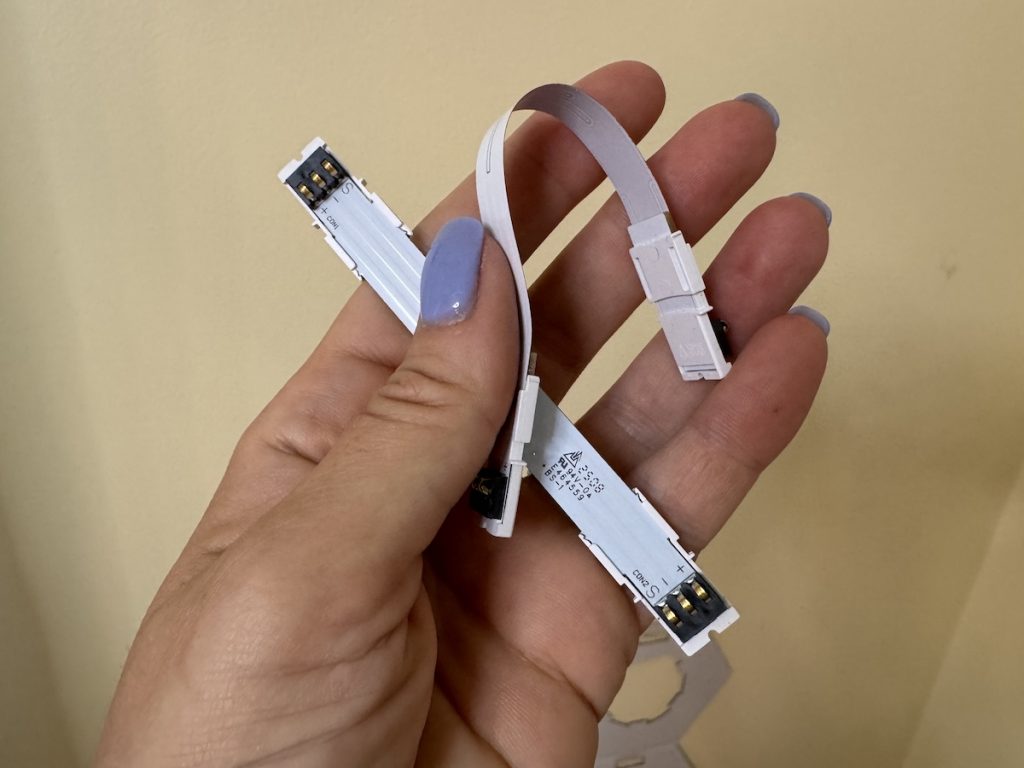 You can connect the power cable to any of the panels. For my installation I connected it to the panel closest to the floor to better hide the cable from view. Similarly the triangle shaped controller can be used anywhere along your design.
Step 5: Attach hexagon panels
Now comes the fun part; attaching the panels to the mounting bases as if you are assembling a large jigsaw puzzle. Satisfying!
 With all the panels in place plug in your lights and wait for the magic to happen.
Remote control with AiDot App
Linkind EP6 relies on the same mobile AiDot app as the one used for controlling the Linkind Smart Solar Lights (which I reviewed on my YouTube channel) and other smart lighting products.
Just sign into your account or sign up for a new one and then look for the ‘add device’ option. The lights may also appear automatically in the app for you, as happened for me. With just a couple of taps you’ll be connected.
Automatic detection with Layout Detect
 You can use the Linkind Layout Detect feature which auto-maps the lights in real time and can automatically tell where you’ve placed your panels and how they are connected to each other, and what the overall design looks like, which means you don’t need to program it, or transfer your design from the wall into the app—pure magic! Your design will appear inside the app and all you need to do is verify which direction is up and then you’ll have a perfect replica all mapped out inside the app and you don’t have to do a thing.
At any time you can also enable Amazon Alexa and Google Home voice support into the EP6 so you can turn them on and off with your voice.
Using Linkind’s AuraScape™
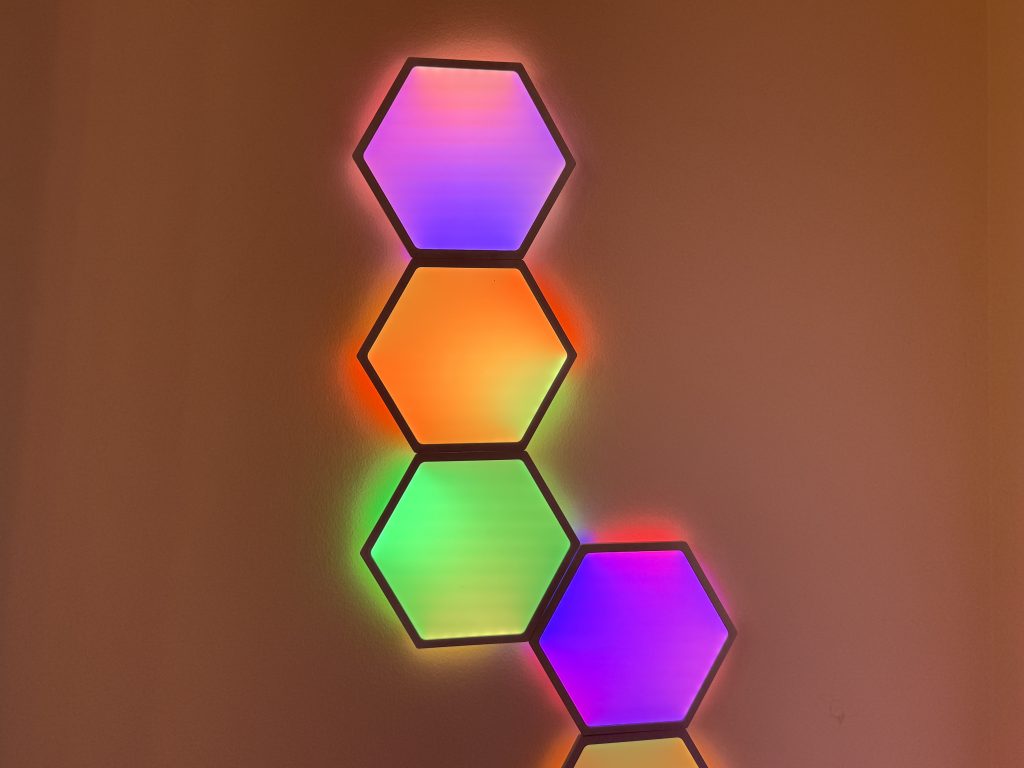
Each light panel has six sections inside and because of the independent RGBIC layout in each panel, each section can adjust its colour, creating this cool gradient effect. To really appreciate the AuraScape™ technology, you really need to see the lights in action and play around with any of the 66 preset scenes.
AuraScape™ is powered by Linkind’s proprietary RGBIC precision blending technology. It combines a dedicated onboard IC with a real-time control algorithm, enabling a single device to display multiple colors simultaneously. This creates smooth transitions and layered visual effects across different lighting zones. For example, the EP6 Smart Hexagon Panels allow independent control of color and brightness in each segment, which supports rich gradient effects, dynamic transitions, and multicolor animations—going far beyond basic color shifting. (On the Linkind EL8 Strip Light, AuraScape™ enables segmented color output, so different parts of the strip can display different colors at the same time, resulting in vivid and synchronized lighting effects.)
DIY with Edit Canvas
Of course if you love smart Lighting as much as I do, you’ll know that part of the fun is painting with light. The EP6 allows you to go in and not only customize or choose the colour of each individual panel, but you can dial in any of the six sections to be any colour you want.
 This gives you so much more precision and fine-tuning ability in your light. Doing it is incredibly easy.
How to paint your own light canvas
Just tap on the Colour tab inside the app and choose the Edit Canvas option. Thanks to the Layout Detect feature you can see which of the panels you’d like to adjust, and even zoom in to view and change each of the six sections. Not to mention that you can also adjust each light or section’s colour intensity and brightness. There’s truly so much you can do with this feature and it’s a lot of fun trying it.
Easily schedule lights
One of the things I really love about Smart lighting like the Linkind EP6 Smart Hexagon panels is the scheduling feature. It’s easy to set the lights to come on just before I get into my office, and to shut off automatically after I wrap up for the day. I really enjoy walking into an office that is brightly lit with beautiful coloured light. I find it very inspiring and refreshing.
ImmerSpace™ light synchronization
A pain point for owners of smart lighting in the past has been that if you want a larger whole room lighting effect you have to control each individual light. All that changes with the new multi-device ImmerSpace feature, which offers two options: TV Space and Music Sync.
TV Space
TV Space enables cross-device, real-time color synchronization, designed specifically for the Linkind ET6 Smart TV Backlights. When paired with ET6, other products like the EP6 Panels, EL8 Strip Lights, EN6 Neon Rope Lights, smart bulbs, etc., can mirror the color output from the screen in real time.For example, if the top-left corner of your TV displays purple, the corresponding top-left segment of the ET6 backlight and other connected lights (EP6, EL8, etc.) will glow purple. If the top-right of the screen shows green, all linked lights mapped to that area will turn green as well. (See visual reference in the image below.)
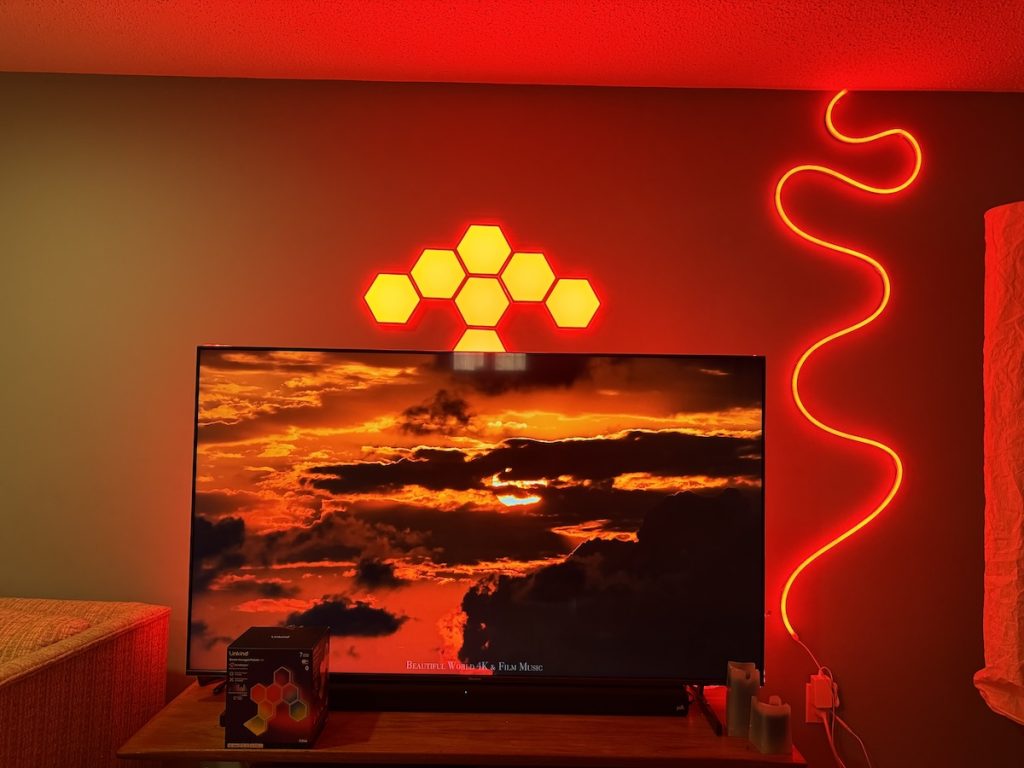
ImmerSpace lets Linkind EP6 panels mirror screen content in real time and sync with other Linkind lights, like ET6 backlights, EL8 strips, EN6 neon lights, and smart bulbs.
ImmerSpace lets you choose one colour for all the lights instantly, or to apply the same preset lighting effect across all lights instantly. Particularly when combined with the music or audio sync feature, this can really turn your room into an immersive, multilayered home theatre.
Similarly if you’ve installed Linkind smart lights around the house, you can easily synchronize all of them with this feature. I have Linkind EP6 in my office, the Smart Light Strip in my laundry room, and the Smart TV light Strip and Smart Neon Rope Light in my TV room, and it’s possible to go from room to room and all the lights are putting on the same show.
Music Sync
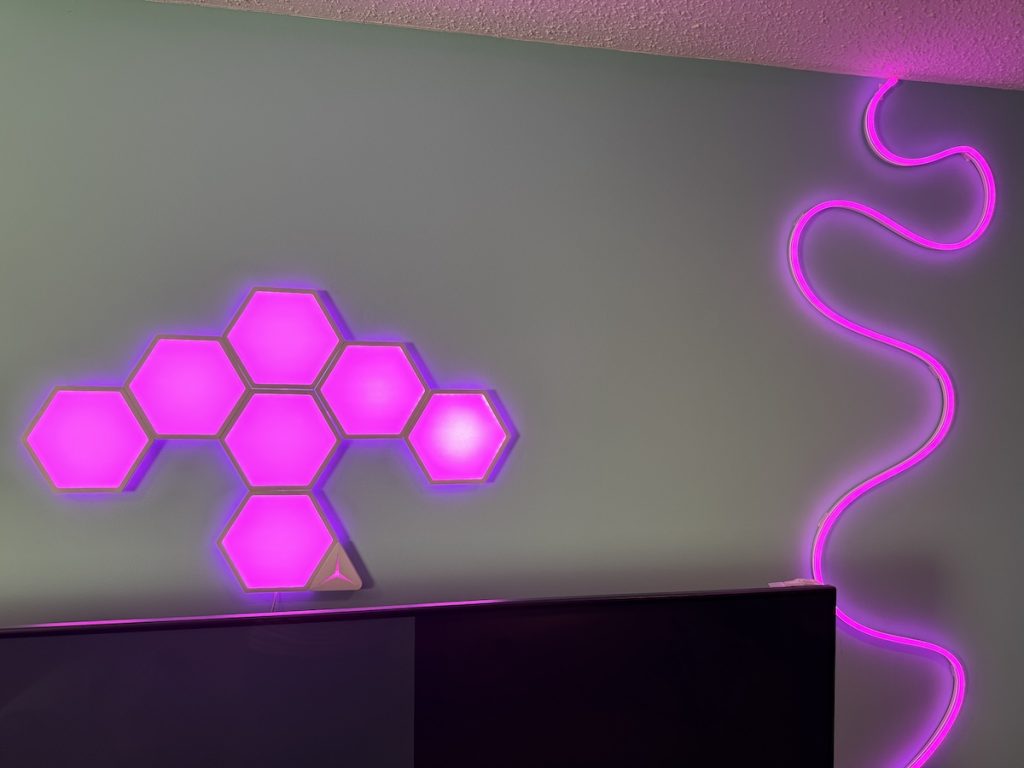 You can also have the lights move to any background tunes or any audio via the music sync feature and you can choose from up to 16 reactive music modes to really pull out all the party stops. This setting will allow the lights to change and pulse and transition to the beat of whatever you’re listening to and is ideal to create a really festive vibe.
Music Sync allows synchronized lighting effects across all supported Linkind devices based on music beats. You can choose to have all devices pulse in the same color, or have each device pulse in different colors, rhythmically synced to the beat.
Expandability
A single Linkind controller can power up to 21 Linkind EP6 smart hexagon panels, which seems to expand the potential designs you can make to be virtually limitless.
Install on walls, corners, ceilings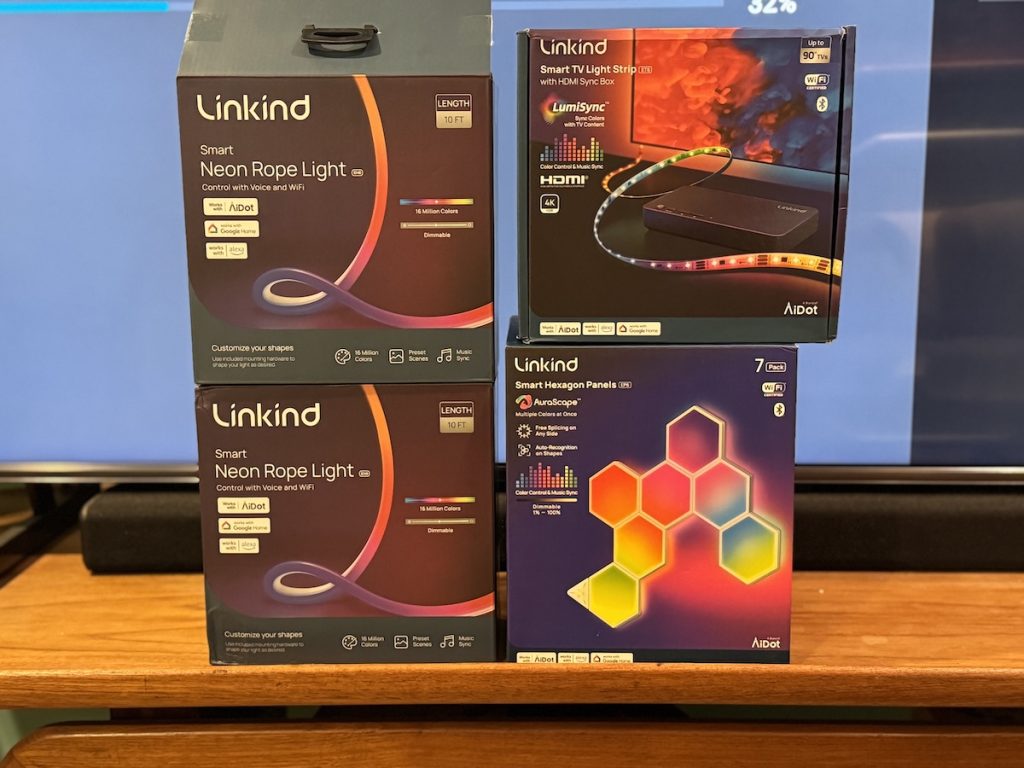
Unlike some smart light panels out there, Linkind has built this kit to be completely adaptable to every space. Thanks to the flexible connector which is included you can have your design flow around a corner and onto another wall incredibly easily. You can also have your lighting display climb up and across the ceiling too if you prefer.
Overall Thoughts: Linkind EP6 Smart Hexagon Panels
I’m a massive fan of smart, colour changing lighting, and I found the Linkind EP6 Smart Hexagon Panels really beautiful and fun. I’m already planning another lighting installation with a new set!
Let’s go over both the pros and cons of the lighting panels so you can see if it might be right for you.
On the pro side the installation is straightforward as long as you follow the instructions. The lights are bright and incredibly colourful, and easy to control inside AiDot app. I love the option for scheduling the lights for day today use or setting a timer. There’s also plenty of preset lighting effects to choose from, or a DIY mode that gives you control. And if you ever don’t want to reach for your phone, the triangle shaped controller gives you a switch right on the lights.
The AuraScape™ feature allows for incredibly blended colours and scenes that look like beautiful watercolours. And with the all new ImmerSpace™option, you can sync up all of your lights together easily.
That reminds me that some of these products include the flexible and incredibly bright Linkind EN6 Neon Rope Light the featuring the same AuraScape™ technology, and the Linkind EL8 LED Light Strip, and the Linkind ET6 Smart TV Backlight which uses HDMI sync to react real time to TV visuals. With these extra Linkind products installed in the same room, the AiDot app becomes the ultimate lighting conductor thanks to the ImmerSpace™ feature, which can sync up to 32 Linkind lights.
So what are the potential downsides for some consumers? Some folks may find the bezels around each light panel to be a little large and more obvious. But I actually like the honeycomb effect it creates.
The only other feedback I might give Linkind is that it would be really fun to offer a much larger size panel kit at a discounted price so people could really build fun large light installations, and that the panels are difficult to remove from the mounts without damaging the wall, so you must remove carefully.
In short, I love these lights and I can definitely recommend them for you.
The Linkind EP6 Smart Hexagon panels sell for about $94US for a 7-panel package. You can also check out the full range of Linkind Entertainment Lighting here.



