

Google is hoping to rule the world with its new suite of hardware devices. Recently there was the Pixel and then the Pixel 2 just last month. There’s also Google Home, Wi-Fi and now Google is into the laptop and tablet game with the Google Pixelbook.
 Reviewing Google Pixelbook
 Reviewing Google Pixelbook
Google Pixelbook is a versatile laptop. It looks sleek and modern, if a little boxy with its squared corners and edges, but it’s impossibly light and quite thin at 10.3mm.
On the inside, there’s a keyboard and a 12″ screen. Strangely it has a pretty wide bezel, and in my opinion more of that space could have been used for screen. But what’s there is clear, bright, and easy to read.
As for the memory, you can get 128 up to 512 gb memory and 8 or 16gb RAM. Prices vary accordingly.
When you unbox it, you’ll see the just computer, power cord, plug and instructions. It charges via USB-C, and the same cable can charge your Pixel phone. If you’ve ordered one, the Pixelbook pen comes separately.
360 degree hinge provides versatility
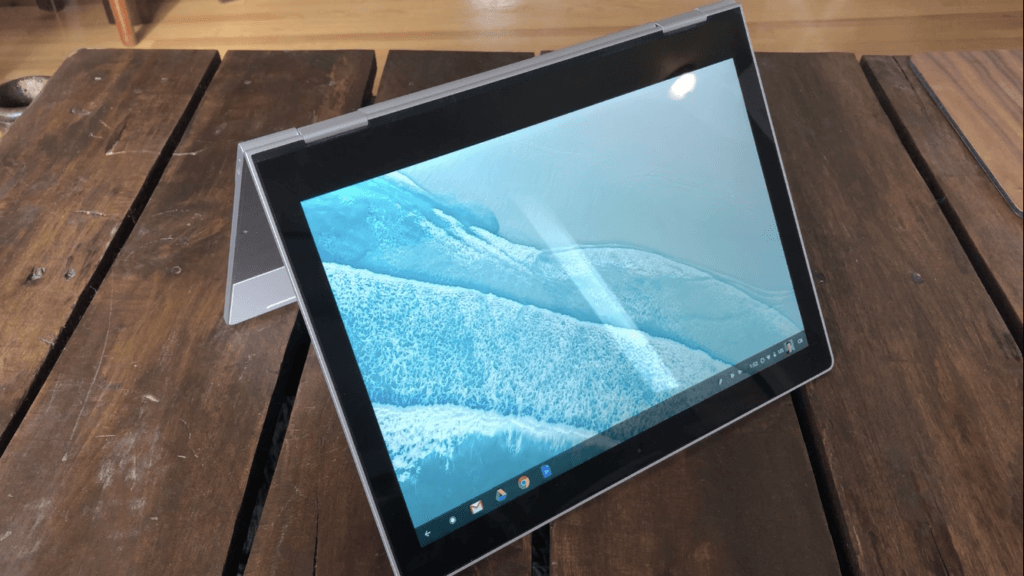
 You can use the Pixelbook in a number of ways thanks to its 360 degree hinge. Use it as a laptop, put it in Entertainment mode for videos, stand it up like an A-frame or just fold it into a tablet.
Google says the battery is big enough for you to work all day and it can get 2 hours of use on just a 15 minute charge. That will take me some testing to prove, so I’ll reserve judgement on that for now.
Pixelbook comes with the whole Google suite of apps, from G-mail to Docs, Chrome and sheets, plus more.
Added functionality with Pixelbook Pen
You can also get the optional Pixelbook pen (priced at about $129). While it’s fat, it’s very light. It’s ideal for taking notes or drawing, but it has some other cool features too. Just press and hold the pen’s button, then circle images or text on your Pixelbook screen. It’s a fast, easy way to get answers and help with tasks – with no typing. You can also press the button on the pen to get instant access to the Google assistant on your laptop.
Pixelbook Pen feels natural, like a pen on paper. It’s got pressure sensitivity, tilt support and virtually no lag. It’s powered by a replaceable AAAA battery, which is a bit uncommon.
Google Assistant built in

The Google Assistant is also a big part of this laptop. There’s a quick-launch button for the Assistant and then you can get help with tasks, have the Pixelbook share your day’s appointments, or set productivity timers.
Use tethering or hotspotting
Like other laptop and phone combos, you can use your Pixel phone to hook up instant tethering to your Pixelbook. This lets you piggyback your phone’s Wi-Fiwhen you’re in a spot that has none.
 I’ll be spending some time with the Pixel book over the next few weeks. This is just my first look at the device. If you have questions about it, or things you want to know, post them in comments or hit me up on Twitter or Instagram @ErinLYYC.
Google Pixelbook’s basic model has 8GB ram 128GB ssd memory costs $1299. Prices go up from there.



