

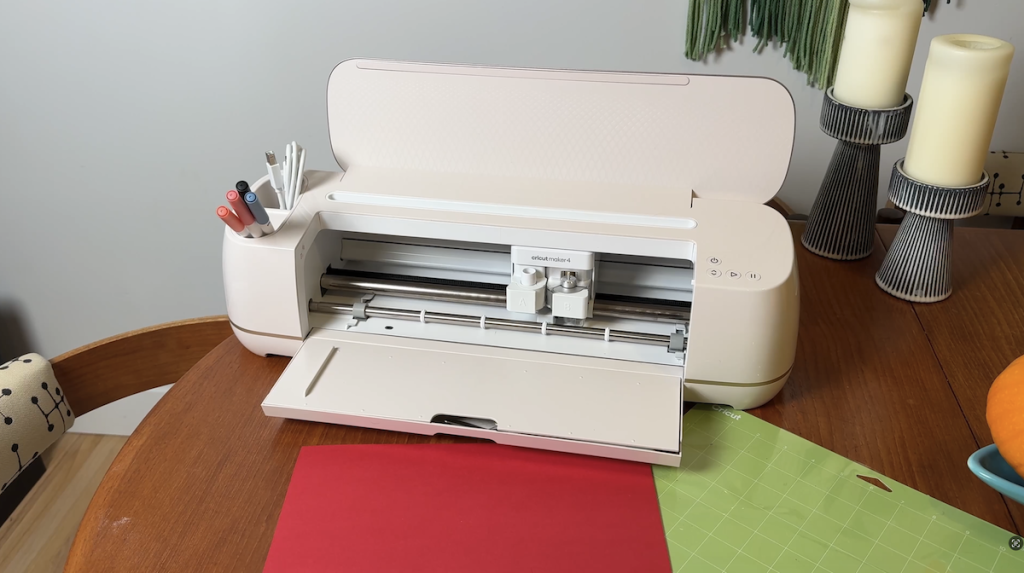
 If you’ve ever tried to do a craft project by hand, you know that cutting precisely is tough. What if there was a machine for that? Good thing there is! Meet the Cricut Maker 4… This gadget is a bit of… “if you know you know”…Say the word Cricut to someone and they’ll either squeal with delight or ask if you need an exterminator. But these machines have been massively popular with artisans and crafters for years. In this review, I’m checking out my first Cricut machine… Ever. I’m going to learn what these machines are good for, how the Maker 4 works, the multitude of things I can do with one and if it’s easy for a newbie like me to get started with. I’ll wrap things up with the pros and cons of this machine so you can see if it might be right for you. And if you want to see how to enter my Cricut maker 4 contest, scroll to the bottom.
Cricut Maker 4 review
I would like to say thank you to Cricut for sending me the maker 4 along with a starter kit to jumpstart my holiday crafting preparations. While the company did supply the machine it didn’t ask to have any input into this review so these thoughts are on my own.
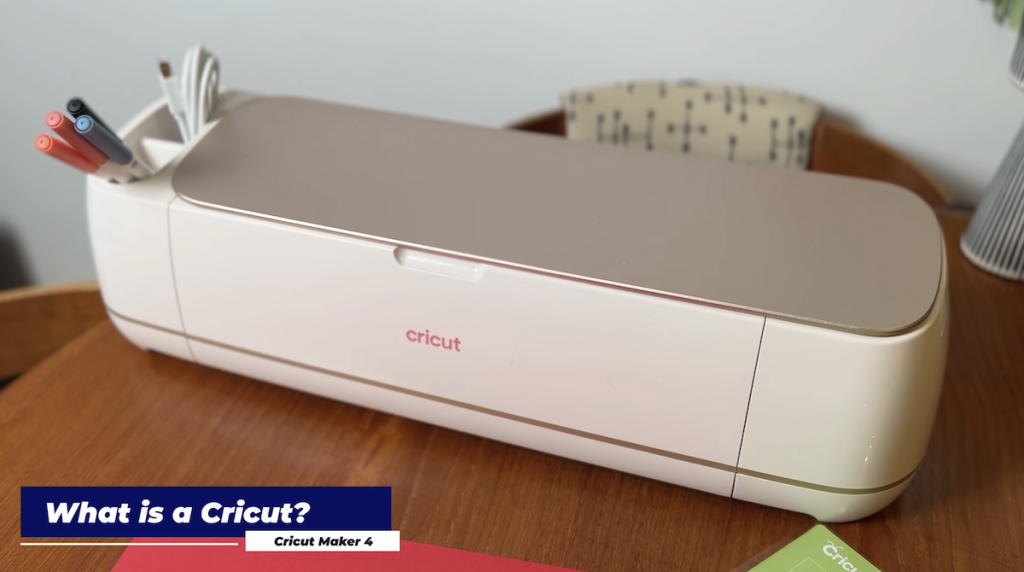
What is a Cricut?
I want to take just a second to talk about what this machine is and what it can do for others out there like me who are extremely new to the club.
Cricut Maker 4 is a smart cutting machine that can cut, engrave, score, and deboss over 300 materials, including fabric, wood, and leather, and is up to two times faster than the previous model.Use it on easy projects, like stickers and home made T-shirts, or more advanced crafts, like intricate 3D folded designs and even engraved metal or leather.
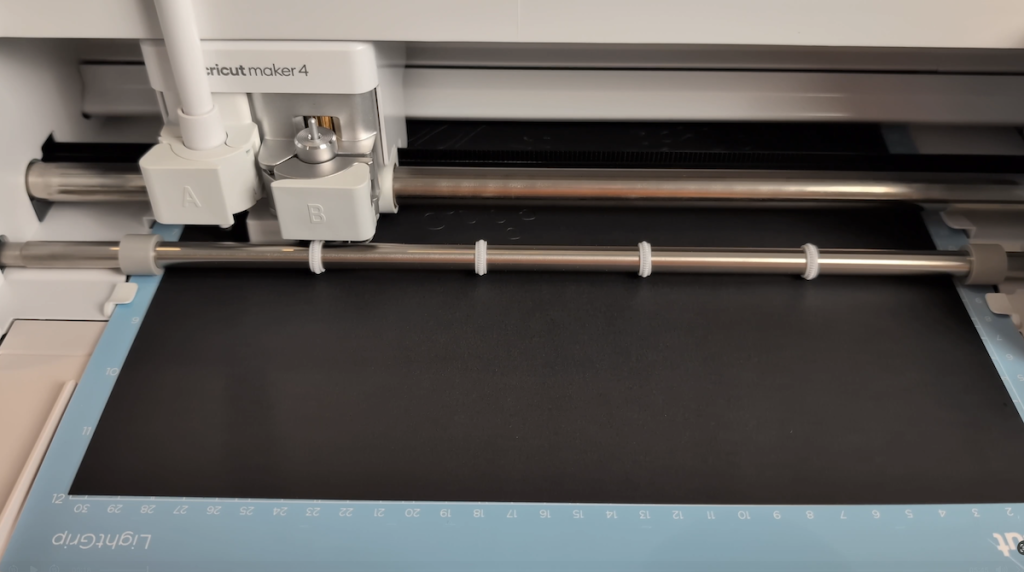 The machine uses the Cricut Design Space app for design and customization, and connects to the machine via Bluetooth or using a USB cable.
When you unbox it you’ll notice the machine is fairly large and heavy and looks quite similar to a home office printer. Also in the box is some paper and materials samples, a crafting mat, the plug, a special pen and what’s called a mini ‘weeding’ tool. If you open up the top you’ll see there’s a rail for you to place a phone or a tablet, and then the lower door also folds down. It acts as a storage case also with several divided compartments hiding under the lid. There’s also a storage cup on the left-hand side of the machine. A cutting blade will already be pre-installed inside the machine.
Watch my FULL Video Review on Cricut Maker 4 to see it in action
Getting started
Before I got started with my machine I watched a ton of videos to learn what it’s capable of and what it’s ideal for. In a nutshell Cricut maker 4 can help you create all kinds of crafted projects from simple place cards, to more elaborate greeting cards, paper crafts like decorations or wreaths, and vinyl stickers and decals that you can place on almost anything. You can also use it to create iron on T-shirt designs, magnets or stickers, and even three dimensional products.
I also recommend surfing the Cricut Design Space app for interesting ideas that you want to try out. I got tons of inspiration here and found a few projects to get started with right away.
I will note that while there are several projects available for free, if you want access to the full library of templates you will need to join the Cricut Access plan, which does require a monthly fee of about $9/month.
You do get a first month for free to try it out and see if you feel it’s worth it. After spending my first month with it, I absolutely think it is worth the price.
Start simple
For my first project I wanted to start simple so I chose a very simple paper cut place card design that I could use at Thanksgiving.
As a first timer I found the app a little bit intimidating so I took my time and paid careful attention to the instructions.
 Essentially once you choose your project you’ll need to turn on your machine and enable the Bluetooth connection. Once it’s connected the app can send instructions directly to the machine.
Cricut mats make the world go round
One important thing to mention is that with almost all projects you will need a special Cricut Machine Mat, and in some cases, more than one.
These mats look like standard cutting mats for crafting but they are lightly sticky. This helps keep your project firmly in place while the machine is cutting it. You’ll just press your paper onto the grid and feed the mat and paper into the machine. Interestingly for a new person like me I found the paper released quite easily from the sticky mats too.
The machine cuts extremely quickly and for a simple design like this it took just seconds. If you’re using a bigger shape like this it’s fairly easy to peel it off the mat but there are other tools you can get to make this easier and avoid potentially ruining your cut out. Luckily in my starter kit I received both a scraper tool and a spatula which go along along way to helping you lift one edge of your project and peel it off the mat more easily.
The place cards were a relatively quick and simple starting project and I was happy with the results.
Project #2: Halloween decor
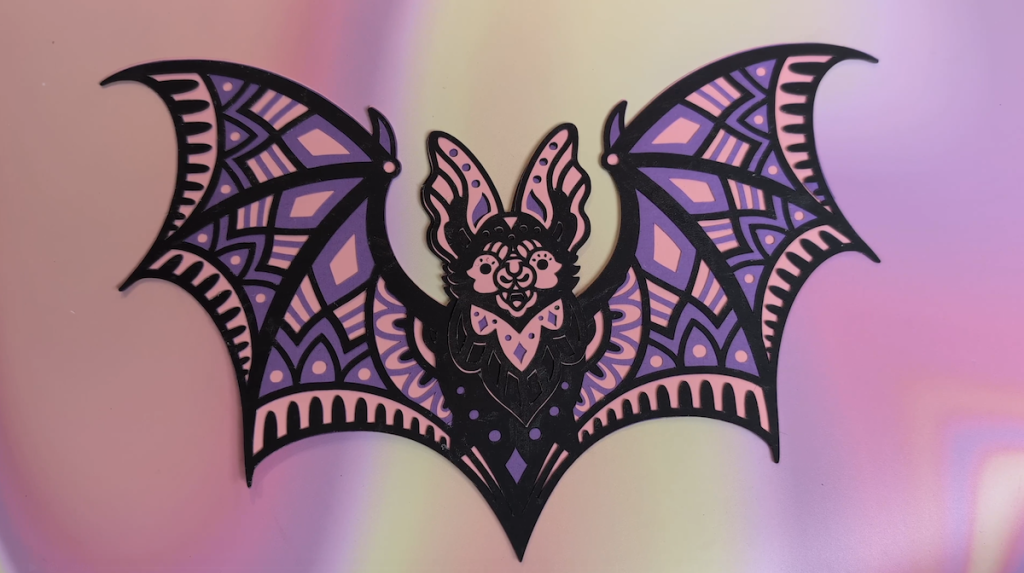
Next step I wanted to try something a bit more elaborate. I found these Halloween door topper designs Design Space app. I loaded it up on the app, sent it to the Maker 4, and watched as it cut a very elaborate design in just a minute or so.
Part of the process… And maybe part of the enjoyment is getting intricate designs like this off of your mat. For finer design work like this where there’s a lot of small holes your weeding tool and spatula will definitely come in handy. I learned quickly not to rush this process and was rewarded with some really cool Halloween decor.
That led to me trying a multi layered paper wreath. With this one it will actually print five layers and once you’ve removed each one from the Matt you’ll apply glue to the back and stick them all together. This created a really cool multicoloured wreath design and there’s no way I could have manually cut this one out myself.
Getting complicated
Next I wanted to try something that would deliver 3D results, so I had the machine cut these foldable paper skulls. Once again these were incredibly easy to put together after the machine had cut them.
Cutting vinyl with Cricut maker 4
I also opted to cut some permanent vinyl sheet to make a label for our treat jar. Cutting vinyl for stickers does involve a little more complexity and here you get to use what’s called transfer tape to help remove the design from the mat and apply it to your surface. For my first time trying this I actually think it went incredibly well thanks and part to helpful instructions inside the design space app.
I’ve been working on some other projects; namely a birthday card for my mother-in-law and some Christmas cards for the coming season. I’m also incredibly impressed with the variety of tools and materials available from cricket that go along way to helping you get creative.
 I’m going to pause here with Maker 4. There are literally hundreds of different projects I could do with this machine and rather than bog you down with that, let’s go over the pros and the cons of this machine for a new user like me.
On the pro side, the machine feels very robust and professional and it looks the part of a high-end CNC machine. I found it was incredibly easy to get set up, and the cricket design space app makes it dead simple to find projects from beginner through more advanced once you gain in confidence. Everything I made looked incredibly professional. I know some of you out there who have more experience with the cricket machine than I do are probably thinking, what a newbie, and this video is obviously more for folks who are newer to the machines or didn’t realize that something that can create results this professional at home is even available.
What are the downsides? I found in some cases depending on whether the project in design space has been made by cricket, or buy a user, the instructions can be overly simple or even nonexistent. So it’s a good idea to really take a read through a project before making it.
In short, in just a little bit of time I’ve had the opportunity to play with maker 4, I’ve been wildly impressed by everything it can do. I think if you’re a crafter, artist, or just someone looking for a hobby, the Cricut Maker 4 should be on the top of your list.
I can absolutely recommend it to you.
It sells for about $549CAD/$439USD and you can get it from Cricut or from Amazon. And if you like to sit and get creative for a few hours it always helps to have a good playlist in the background. Check out some of my pics for best portable speakers for your crafting room… Right now.
**Contest is now CLOSED Enter to Win a Cricut Maker 4! **
Congratulations to Neil Z of Calgary who won the Cricut Maker 4!
Contest Rules
To enter our giveaway to win one Cricut Maker 4 simply post a comment in the comments section BELOW. You will be required to register in order to post a comment, which will supply us with your email address so we can reach you in the event you are the winner. You will also be automatically subscribed to our newsletter, though you may unsubscribe from that at any time.
Important: It may take several hours for your comment to pass through moderation and become visible on the contest page. We will be posting comments as quickly as possible. If you don’t see it on the page immediately, don’t worry. We still have your entry.
Important: How we’ll reach the winner(s)
We’ll get in touch with the winner via the email address supplied on entry or via website comment registration. Winner must respond to an email naming them as the winner within 48 hours. Non-response within 48 hours means we’ll redraw under same 48 hour timeframe until we get a winner’s response.
Winner’s name(s) will be posted to this web page after the draw.
The Fine Print
There is one prize available to be won.
We’ll pick a winner at random from among all website entries/comments. The Cricut contest is open to residents of USA and Canada only until Friday December 13, 2025, until 11:59pm Eastern Time .
Only 1 entry per person, please; excess entries will be discarded. Odds of winning depend on the number of entries received.



23 Comments
I really appreciate your review of this product, I have always wanted to try but wasn’t sure how they exactly work! Thank you!
Thank you for your thorough and honest review. I make it a point to read your review because you give your POV after trying and testing the product. Often times tech products have so many feature that it can be overwhelming and sometimes the learning curve is too much that I do not get to maximize it’s features. Signed up to keep me updated on what’s next in the Tech World!
Here we go again! Thanks for taking the time and reviews. Happy Holidays
Thank you for explaining the circuit maker 4. What a blessing it would be to win the giveaway!
Thank you for the great review. I have been looking for a while and it was very helpful!
Love your reviews! Thank you so much! A Cricut maker would be awesome.🤩
yaaaah! circuit for life! please enter me
I just watched your review and wanna say thanks. My sister has one of thees and makes such cool stuff but I wasn’t sure if it was good for new people. if I don’t win, I’m gonna buy one! longtime subscriber, so keep up the videos
Hey – love seeing your tech gadget reviews! They have helped us make buying decisions. We have been talking about getting a cricket for awhile now and would love to win the contest! Thank you.
Hi Erin, thanks for the helpful reccos. Love to see your demos before we buy things.
I’d love a new Cricut, too!
always enjoy your reviews, thanks for the chance to win
I’m a big fan of your reviews and have been a long time subscriber! Would love to have a chance at winning the cricut machine.
Yet another review series that actual streamlines the noise for the products I’m looking for. Technology seems to eclipse me so your reviews are exactly the help I need. Having kiddos getting seriously into crafts, I’ve been seriously thinking about a cricut. Winning one would be wonderful!
Erin, whether you’re aware or not, your reviews have been a resource I go to before I purchase just about anything. From van conversions to vacuums, coffee makers to this crafty Cricut 4 – thank you so much for taking the time to not just review products, but to do so in a way that I can identify with, understand how the product could apply in my everyday life, and make that data driven decision to either spend or save for later.
Would I love to win this crafty prize and get my DIY on this season with my nieces and nephews – heck ya… but I thought you should know that I am grateful for the valuable work you do when money is tight, time is precious and standing in the return line is just not the best use of this girl’s energy.
Happy Holidays fellow techie!
Your reviews are so helpful
Love these reviews (and your videos are top notch! Thanks for the opportunity to win one.
Id love to win this for my new job at a school district. Our elementary school is falling apart but the staff ive met here are such a wonderful group of people who really care about the kids and make it a great place! Im loving the community i serve!
Thanks for all the helpful reviews!
Thanks for the video review! It’s inspiring to see how much you can create with it.
Great reviews and honest opinions as always. Would love to win Cricut 4 machine.
Hi Erin,
Your editing is fantastic, your video about the Cricut 4 flows and very informative. I would like to win this machine and start creating, the variation of projects you can do is amazing.
Great reviews!
This would be a great Christmas present for my wife. She has wanted one for her sewing room.. Thanks for the suggestion.