

How much thought do you give to how much power you use? For most of us, it’s no big deal to leave a room and let the lights burn. In an effort to try to bring more awareness to power consumption and the environment, Earth Hour was created in 2007. It started as a symbolic event in Sydney Australia, but Earth Hour is now the world’s largest grassroots movement for the environment.
Awareness helps, but is there an easier way to cut your power use and perhaps even to automate lower energy use? The short answer is yes. You can use smart digital assistants and smart lighting to help you.
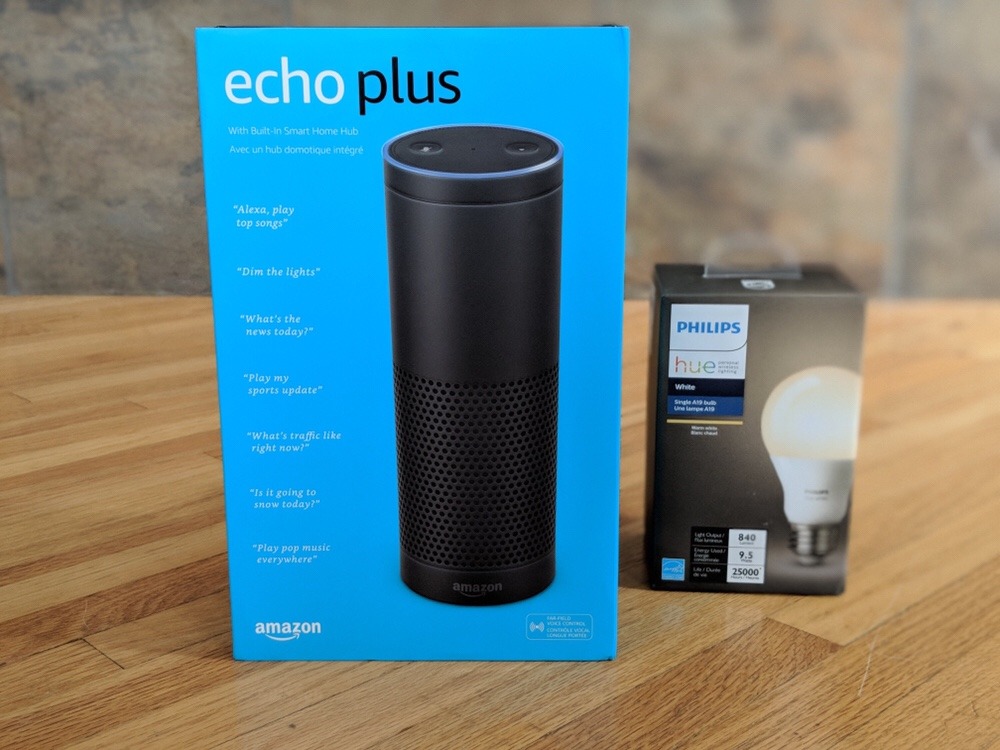
Amazon Echo can help trim power use
I always forget about Earth Hour. I have the best intentions, but then I go and turn Netflix on, or start cooking up a storm in the kitchen. This year, I’m taking part through pre-planning. I’ve asked my Amazon Echo Plus to help me with going lights-out this weekend.
I’ve got my Amazon Echo Plus connected to my Philips Hue smart lights, so all I need to do on any given day is say, “Alexa, turn the lights out” and my wish is Alexa’s command, and this is particularly handy if you’ve left the room and are too lazy to get up and go turn the lights off. Echo’s computer brains connect seamlessly with the Philips Hue lights across my home and respond instantly when commanded.
What is Amazon Echo Plus?
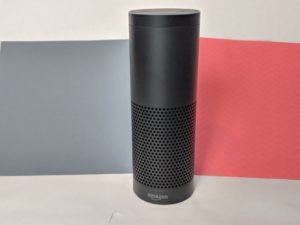 Amazon Echo Plus is a large speaker which also houses a smart home digital assistant you can talk to. It’s the largest speaker in Amazon’s Echo lineup (read more about what a smart digital assistant can do in your home, here) and it’s taller and more powerful than the ‘regular’ Echo. It also has a more metallic industrial look, compared to the fabric wrapped Echo.
Use Amazon Echo Plus to create a smart home for Earth Hour
Setting up your smart home is easy, and using Amazon Echo, Echo Dot or Echo Dot Plus are a great place to start. With a digital assistant you can set timers and alarms, get weight and measurement conversions, and even get answers to math problems, and trivia. Of course you can connect the Amazon Echo devices to a whole host of smart home gadgets like other lights, motion detectors, smart door locks, cameras and plugs to create an entire home you can control with your voice.
Just ask Alexa for help with Earth Hour
On Saturday March 24, 2018 from 8:30-9:30 (local time, wherever you are) people across the globe are celebrating Earth Hour by turning lights off to conserve energy. If you’re forgetful like me, you can get your digital assistant to help.
While you can’t specifically say “Alexa, Turn off my lights for Earth Hour” you could do it this way:
“Alexa, remind me at 8:00 p.m. on Saturday March 24, 2018 to turn off my lights for Earth Hour”.
Once she gives you that reminder you can say: “Alexa, turn off the lights,” or “Alexa, turn off the Phillips Hue bulb.”
That’s what I’ve asked Alexa to do so I won’t forget about Earth Hour this year. Plus, having a smart digital assistant in the house year round also means I can set schedules so lights only come on right before sunset, for example, and to turn off at bedtime.
Read more about what you can do with Philips Hue lights here.
As of 2023, Philips Hue lights can be paired with the Echo Dot smart speaker (CAD $69)
<iframe sandbox=”allow-popups allow-scripts allow-modals allow-forms allow-same-origin” style=”width:120px;height:240px;” marginwidth=”0″ marginheight=”0″ scrolling=”no” frameborder=”0″ src=”//rcm-na.amazon-adsystem.com/e/cm?lt1=_blank&bc1=000000&IS2=1&bg1=FFFFFF&fc1=000000&lc1=0000FF&t=techgadcanada-20&language=en_CA&o=15&p=8&l=as4&m=amazon&f=ifr&ref=as_ss_li_til&asins=B09B8V1LZ3&linkId=d818058edd5e78f716d4a12d77767ca6″></iframe>
<iframe sandbox=”allow-popups allow-scripts allow-modals allow-forms allow-same-origin” style=”width:120px;height:240px;” marginwidth=”0″ marginheight=”0″ scrolling=”no” frameborder=”0″ src=”//rcm-na.amazon-adsystem.com/e/cm?lt1=_blank&bc1=000000&IS2=1&bg1=FFFFFF&fc1=000000&lc1=0000FF&t=techgadcanada-20&language=en_CA&o=15&p=8&l=as4&m=amazon&f=ifr&ref=as_ss_li_til&asins=B07RPHS5TN&linkId=776ad840118487b4774c1a74b197a9a0″></iframe>
*A note about Affiliate Links: Occasionally I will include affiliate links in my reviews. I do this partly for convenience of the reader (since I’ll almost always include a link to the company website or similar anyway) in case you want to read more or purchase but I also may get a small commission from the click, which helps me keep the blog running. If you chose to use this link I thank you greatly for supporting the blog.



