

 If I asked you to quickly name a smartwatch, most people would probably reply with the Apple Watch, and while Apple’s mini wrist computer is certainly popular and well known, there’s a host of other options out there. One of the latest is from Huawei; the Huawei Watch GT 3 Pro. This is my first experience with a Huawei product so in this review I’ll take a look at what the Watch GT 3 Pro is like, its design, features, it’s metrics and overall if I think it’s a good device.
Huawei Watch GT 3 Pro
Summary
Overall this watch has a lot of pluses: it looks spectacular and battery life is absolutely stellar. It does have a few operational quirks…
Pros
- Stunning looks
- High quality craftsmanship
- Looks like timepiece, not smart watch
- Tracks fitness & activity
- Gets Apple notifications
- Adjustable band
Cons
- Watch doesn’t update if disconnected from phone
- Settings not intuitive
- Microphone stays connected?
How to choose: size & finishes
The Huawei Watch GT 3 Pro comes in two sizes; a larger 46 mm size and a smaller 43 mm option. Initially I tried the 46 mm but found it much too large and heavy for my wrists (even though I like a big watch face), so I seized down. There’s a silver titanium option and a white ceramic version.
The white version has a nice white bezel that helps it blend in to the face a lot better and makes the face look bigger. The stainless steel version has a black ring around the face that actually seems to make the smart screen look smaller.
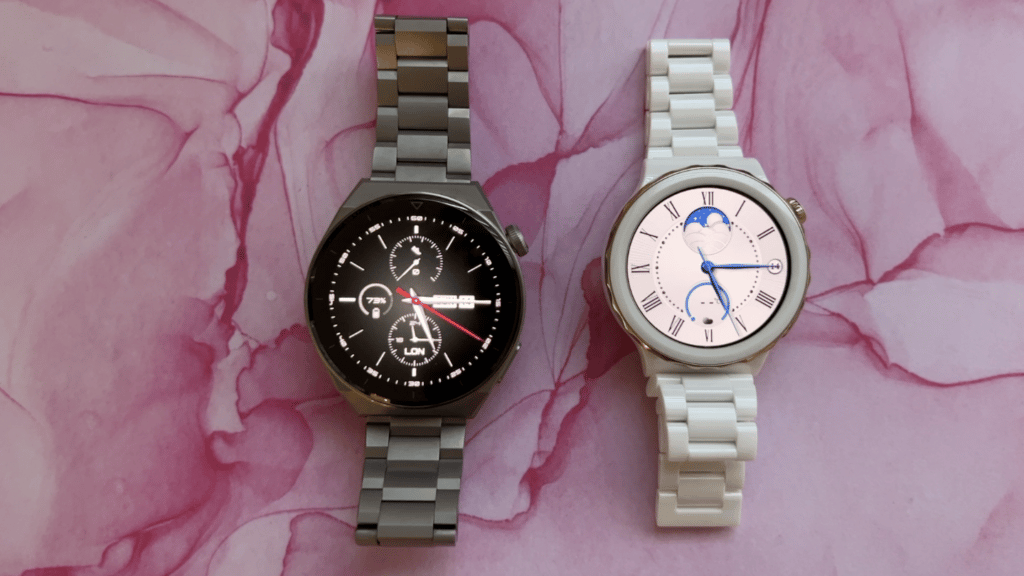 The watch has a colour touch screen that you can customize with a variety of free (plus paid) watch faces. There’s also and some buttons on the side for certain functions; using the dial you can zoom in or out or push it to go back, while the other button is a quick launch for other apps and functions and you can customize them. The bands are high quality with a locking mechanism and the ability to add or remove links to size it to your wrist.
A word about the watch faces; there’s not a huge selection of faces you can get for free; some of the best ones cost a few bucks, but I was able to find enough options to make both the titanium and ceramic watches fit my personal style.
Key features
Huawei says both models boast new and improved capabilities such as a 30% increased charging speed, increased water resistance designed for sport diving and better heart rate monitoring technology. The battery life is also a flabbergasting 14 days, which should make any Apple executive cry, since they’ve not figured out how to get beyond 24 hours yet.
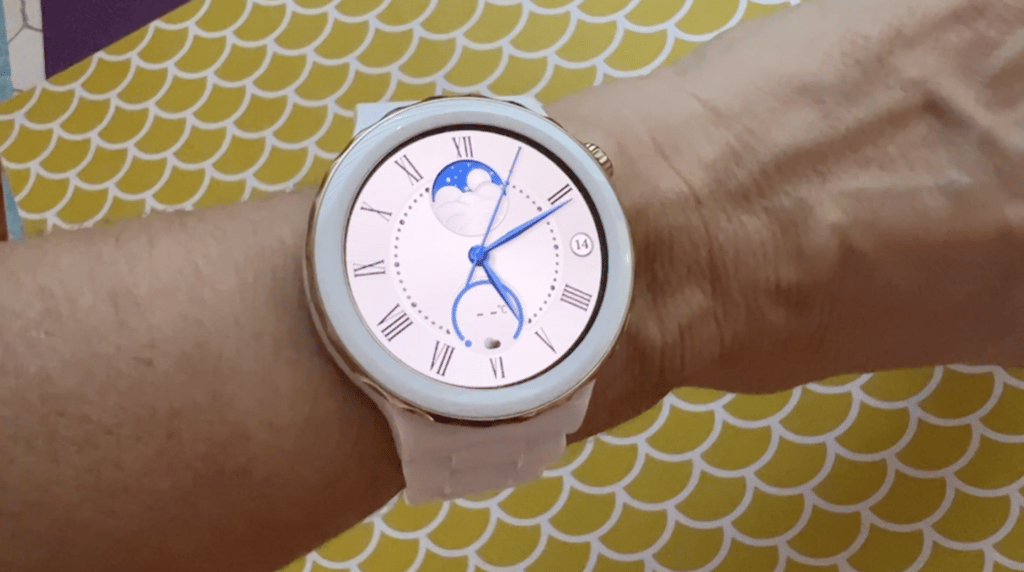
The smaller watch, in ceramic.
Since this is a smart watch it can also share notifications from your phone, you can use it to make or receive calls, and it will track your steps and activity too. (More on these coming up.) And with not just water resistance (it’s IP68 rated) but the ability to withstand free diving up to 30 metres, it’s a great watch for those who like to be out on the water.
Set up
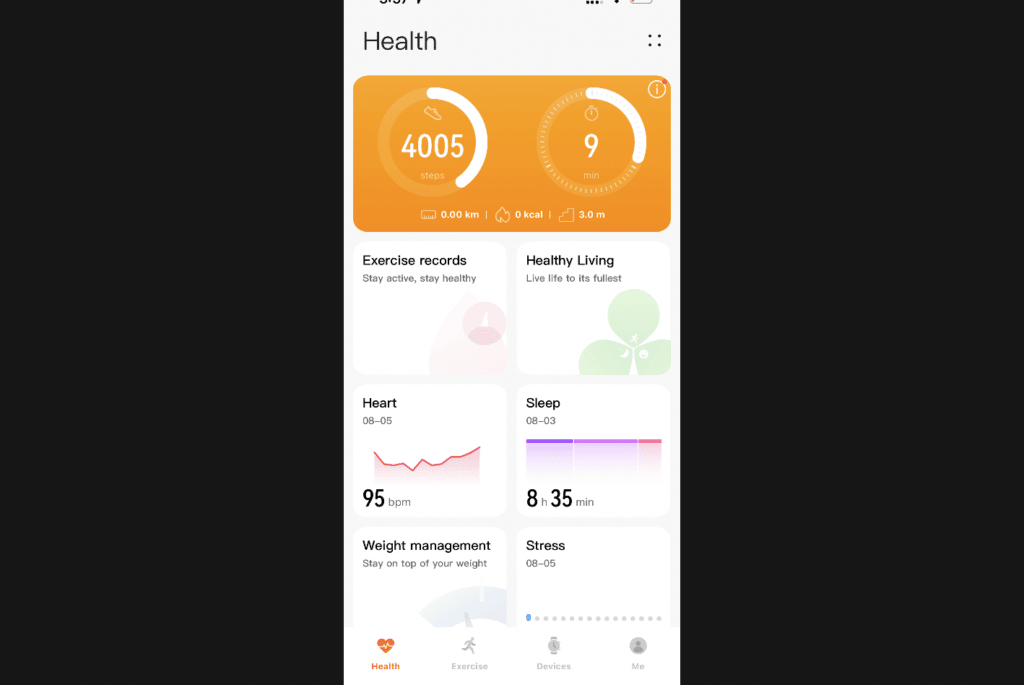 Getting the Huawei Watch GT 3 Pro set up was easy enough. You need to download the Huawei Health app which will assist with set up and act as your data centre.
I had to agree to share a lot of personal information including my cell phone number in order to sign up for my Health account, and grant access to the microphone. Given that Huawei’s been in the news a lot lately amid allegations of being a Chinese government-connected company with designs on spying, I was a bit concerned about granting so much access, but in the interests of sharing a full and unbiased review, I forged ahead.
I was set up and ready to go quickly.
How to enable Always On screen on Huawei Watch
The screen on the Huawei Watch GT 3 Pro is really nice. Particularly when it stays on, which it really doesn’t. The watch screen will come on when you raise your wrist, but otherwise it goes maddeningly dark. I even experimented with the Screen On settings, which seem to indicate the watch will stay on for up to fifteen minutes at a time. Except it doesn’t. Even with this feature toggled on, the watch face shuts off in seconds. I know that having the screen on constantly will drain the battery much faster, but with a watch like this designed to look like a watch and less like a smart watch, having an always-on screen helps with the dupe, and in this case it doesn’t deliver.

Always On Display; AOD.
I got some help from Huawei; there’s two very similar settings within two different menus: there’s watch face and Home, and Display and Brightness, I thought I wanted display and brightness, and adjusted the Screen On setting. Turns out I needed Watch Face and Home, and what’s called AOD, Turns out this is for Always On Display.
With that toggled on I finally got my screen to stay on, but you don’t always get your main screen— there’s a dark mede version that it switches to. And with that dark mode you really only get a couple of different options. Not ideal but that’s what to know and how to adjust it.
Microphone override?
One annoyance I noticed right away is that the microphone seems to stay connected to the phone even when it is not in use and doesn’t allow my Apple iPhone (which I’m testing it with) to override it if I want to invoke Siri. It takes about 10 seconds for the phone to reroute the mic so I can dictate messages or emails, an annoying side effect I can’t see how to disable.
What does Huawei Watch GT 3 Pro track?
Like many smartwatches, fitness and activity data is tracked and you can use it to monitor workouts, runs and more. It will track:
- Sleep
- Steps, Distance, Floors climbed
- Heart rate
- Stress
- Blood Oxygen/SpO2
- Blood pressure
- Skin temperature
Huawei says the watch has TruSeen 5.0+ heart rate monitoring technology which uses eight photoelectric sensors in a ring formation, to capture enhanced signals including automatic SpO2 monitoring.
Is Huawei Watch accurate?
I used it to track my sleep and steps primarily, and for a comparison I also wore my Apple Watch. I’d say it’s as accurate as the Apple Watch, with only tiny discrepancies between them for step count, sleep and heart rate.
 I also enabled the SP02 setting in the Huawei Health app, and was able to get constant blood oxygen readings inside the app, and even to set a quick-view option tied to the other button on the watch.
An all-new algorithm filters out interference, for meticulously heart rate monitoring. You can even monitor your heart rate on a 24/7 basis, with real-time alerts whenever your heart rate strays from its normal range. Healthy living check-in tasks make your well-being a satisfying, goal-oriented process, from sleep to drinking water to workouts — and so much more!
Using Huawei Watch GT 3 Pro
I wore the watch for about three weeks, and tried the larger version first, before downsizing.
The watches are gorgeous and look a lot more like crafted timepieces than smartwatches, which is a refreshing change. The watch faces are quite believable and look very realistic. The biggest dislike I have about the screen is that it will go to sleep mode and there seems to be no way to disable this; you can adjust how long it will be before it powers off, but the black screen kind of ruins the ‘it’s not a smartwatch’ dupe.
There’s an auto brightness mode which will adjust the screen to the amount of light around you.
Notifications
As I noted earlier I used the Huawei Watch GT 3 Pro with an Apple iPhone 13. It was able to send me text and iMessage notifications right to my watch. I did feel the notifications were very weak, and I missed them frequently, despite my choice of Strong vibration notifications. If I have a suggestion for Huawei’s designers it’s to bolster this feature.
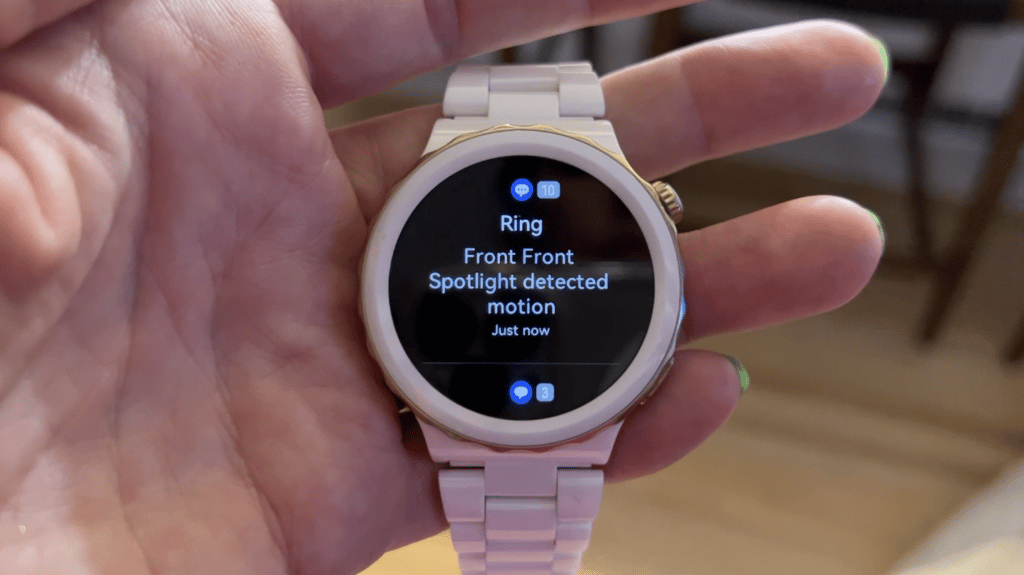 The list of available notifications is limited, meaning the watch seems only to be compatible with some apps, unlike something like the Apple Watch whioch will basically notify you from almost every app on your phone if you want that. These include Messages, What’s App, Facebook, Twitter, Messenger, Gmail and Netflix. I also got notifications from my Ring security system too.
Weather app?
While Weather at a glance is an option on the watch, this feature only worked intermittently for me. Sometimes I’d get my local weather and forecast information and sometimes I couldn’t. After fiddling with the watch and app for a while it seemed the problem is that the weather widget doesn’t update unless you have the Huawei Health app open and running, or have connected it at some point during the day. Not ideal.
Settings menu needs work
While we’re on the topic of quirks, I did find it clunky and tedious to navigate settings on the Watch itself. When going into settings, there’s no back button that will walk you back out of a setting’s choices: If you hit what I thought was the back button, it just kicks you back to the main app screen, not back one step at a time, meaning if you choose incorrectly, you need to start over and climb all the way back through your settings again.
Phone calls on Huawei Watch
I was able to both make and receive calls on my Huawei Watch GT 3 Pro, and the calls sounded pretty good. That was a nice feature that’s handy when your hands are full.
Battery life and charging
The battery life on this watch blew me away. In my first couple weeks of use I left it on its default settings and easily got about 7 days out of it. The only reason I recharged it was because I was going on a trip and didn’t want to pack the charger. So with a full battery I was able to get the full 9 days away without needing a recharge. Upon arriving home I still had 56% battery!
 The Huawei Watch GT 3 Pro recharges with a proprietary magnetic fob that clicks to the rear of the watch. A full charge takes an astoundingly quick 85 minutes, and you can fast charge it to 25% in about 10 minutes. This is heroically good and easily the longest lasting and fastest charing smartwatch I’ve ever tried.
Water resistance
HUAWEI WATCH GT 3 Pro comes with IP68 and 5 ATM ratings for water resistance, and has withstood a staggering 200 water pressure cycles, so that it supports free dives as deep as 30 meters. That should mean it’s great for swimmers, boaters and accidental dunkings.
Is Huawei spying on me?
I’ll spill a bit of ink here on this question. I don’t think a massive Chinese multinational has much interest in covertly surveilling tech bloggers and average Canadians, so do I think the company was listening to me using the watch? No. Would I ever know if they were? Probably not. You guys can Google articles about all the concern various governments have with Huawei. For me, I’m just enjoying the Watch.
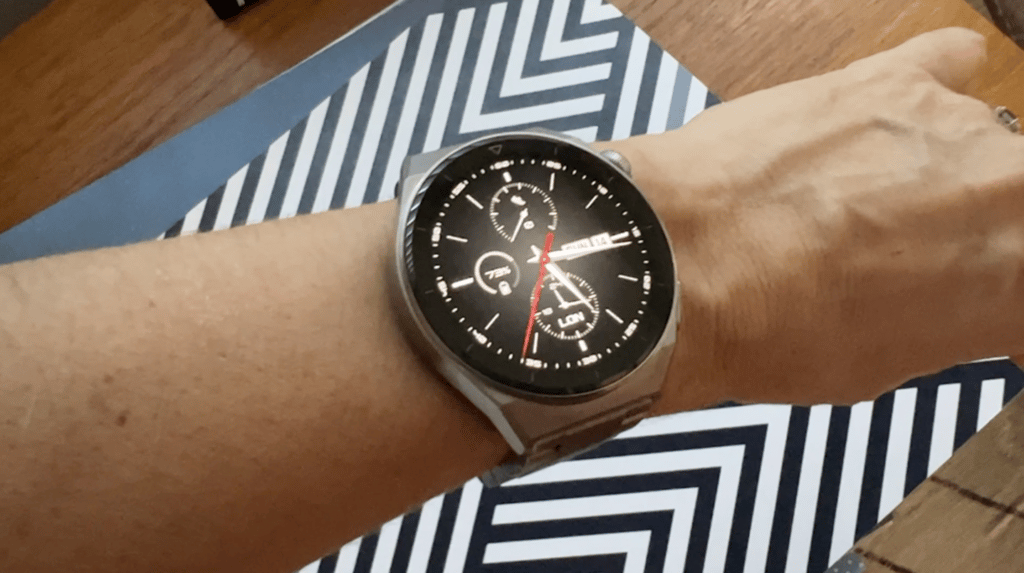
The larger watch, in stainless steel.
Overall review: Huawei Watch GT 3 Pro
Overall this watch has a lot of pluses: it looks spectacular and much more high end that pretty much any other smart watch. The battery life is absolutely stellar and miles above every other smart watch on the market. The watch faces look realistic and display a lot of info at a glance. It gives me texts and phone calls from my iPhone, as well as other app info too and its key features work well.
Downsides? The Watch appeared to impair the use of my phone’s microphone which made accessing Siri or using voice dictation impossible. Also, trying to adjust settings or access the app gallery was made more difficult because the watch always kicks you back to the main face after any selection, rather than letting you back up and make other choices or adjustments. It has a few odd quirks which are more a minor annoyance than any impediment to key features.
I had trouble keeping the notifications, health metrics and weather connected and updated, and I couldn’t get the blood pressure to work. Some of the settings are also not intuitive. Like the always on display… If you can live with the quirks this is a pretty sharp timepiece. If you’re looking for full integration and seamlessness, this will not be the watch for you.
The HUAWEI WATCH GT 3 Pro Titanium Edition is available starting from $548.99 CAD, and HUAWEI WATCH GT 3 Pro Ceramic Edition sells for $798.99 CAD.



