


The popularity of robot mops has only grown over the last couple of years since this technology was first introduced. While early designs simply modified a robot vacuum to drag a damp cloth across your floors, companies have been innovating substantially to make dual purpose vacuum and mopping robot that actually works a lot harder. That’s the idea behind the Yeedi Mop Station Pro. I recently got my hands on a new Yeedi Mop Station Pro to test in review in my home. I’ll tell you what it’s like to set up and use, how effective the cleaning is or isn’t, about it special features, and if I can recommend it for you.
Yeedi Mop Station Pro
Summary
When it comes to whether or not I’d recommend this bot, it’s got some good qualities and some concerns… so I’m pretty torn. Read on to find out why.
Pros
- Maps quickly, mostly accurate
- Great design
- Dual vacuum and mop
- Large water tanks
- Spinning mopping pads
- Cleans and dries mop pads
Cons
- Wasn’t able to divide largest space on map
- No auto-emptying of dustbin
- When in mopping mode, vacuum dustbin in tiny
Yeedi Mop Station Pro Review
What is Yeedi Mop Station Pro?
This robot floor cleaner is designed for hard floors, and as a result it prioritizes the mopping over the vacuuming. When I say prioritize, the robot comes with two plates. One is a large 750 mL dust bin that is used for vacuuming only. If you want to prioritize the mopping, you can swap in the mopping plate which has the two wet cleaning pads, plus a very small dustbin, so it will actually both vacuum and mop at the same time.
You get the robot plus an auto mop-refill, cleaning and drying station which also handles the charging.
It uses a companion app to control the bot, schedule cleans and adjust settings.
Set up & mapping
When you first get your robot you need to sign up for or sign into the Yeedi app, and it will walk you through how to set the robot up and connect to your home’s Wi-Fi. Then you want to send it out on a mapping mission. Allowing a robot to use its intelligence to generate a detailed map of your home will allow you to do zone or spot cleaning, as well as enable scheduled cleaning of certain rooms on certain days.
 The Yeedi Mop Station Pro mapped my home quickly but I made one mistake by sending it out on the mapping mission with the mop attached. Doing this meant the robot didn’t map most of my partially-rug covered living room. So a word to the wise; make sure you swap the vacuum plate for your first mapping run.
One problem I did have is that my open concept living room and kitchen were mapped as one continuous space.
I could find no option for dividing a room into other spaces. That meant I was unable to simply clean the kitchen; I had to clean both the kitchen and living room all at once, which was quite an annoyance for an area I’d like to clean daily.
One way around this is to choose a Custom clean where you can simply draw a box around the immiediate spot you want to wash, and you can also schedule that same clean daily. That’s an okay workaround, but it would be nice if Yeedi updates its firmware to allow this bot (or a human) to more accurately map and delineate space… and if this does exist in the app, I sure couldn’t find it.
Key Features: Spinning mopping pads
The major innovation in this bot, though it does exist in at least one other brand (Ecovacs X1 Omni), is a dual spinning mopping pad. The mopping pads are made from woolly microfibre and are quite plush, so they seem able to easily scrub even uneven floors. Yeedi says they spin at 180 times per minute, so they should have the ability to power off dried spills. There’s also adjustable waterflow.
You can use the Yeedi app to control the amount of water flowing through the mopping pads for a more thorough clean or one that would dry quicker.
In a bit of a departure from other mopping robot, the mopping tank is not visible nor accessible to you. It must live somewhere deep inside the robot, but that’s okay because the mop station will fill the tank for you.You can actually hear it gurgling as it fills the tank before it heads out for a mopping mission.
Cleans & dries mopping pads
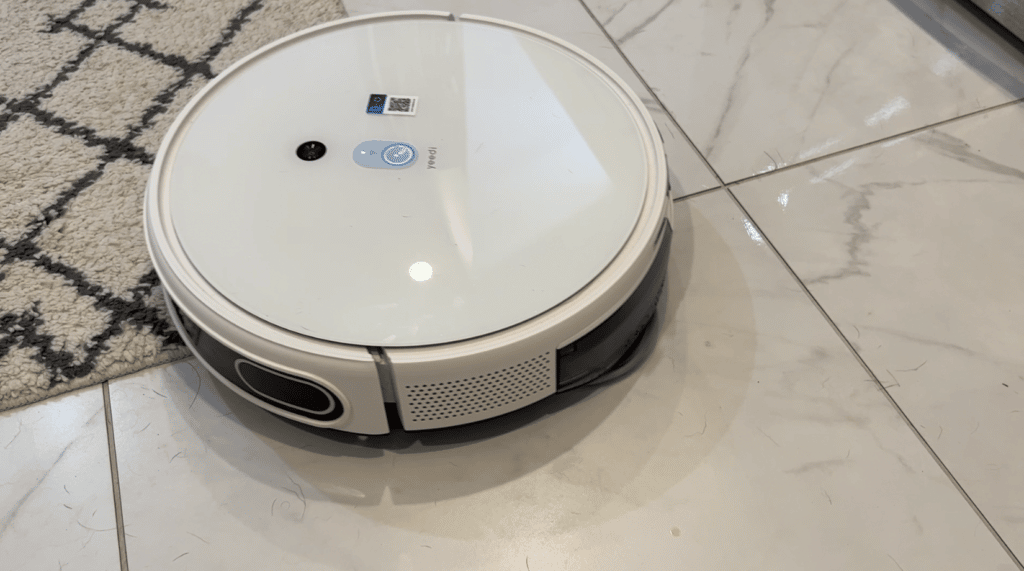 The second innovation is the self cleaning and drying ability for those mopping pads, since there’s no sense in running dirty, stinky cloths over your floor.
The Yeedi Mop Station Pro will wash and rinse the mopping pads, and suction away the dirty water for dumping later. Two 3.5 litre water tanks hold both clean water and waste water separately. After washing the pads, the Mop Station Pro will then dry the mops to keep odors from building up.
Vacuum suction power
A robot vacuum is only as effective as its suction power. The Yeedi Mop Station Pro has up to 3000Pa of adjustable suction power to suck up dirt. That’s actually a high level; above many other robot vacuums.
Let’s talk more about the vacuuming since here I’ve got some concerns. Let’s start with what’s good though…That 750ml dustbin for vacuum-only mode is actually much bigger than that of most robot vacuums on the market, which means it stores more dust for less emptying.
And that’s actually kind of key because the mop station does not have automatic dustbin emptying. When I said earlier that this bot prioritizes mopping, this is one of the ways it does that: Prioritizing the mop’s refilling and servicing, over automatic dustbin emptying.
No dustbin auto-emptying
So while bots like ECOVACS Deebot X1 Omni and Roborock S7 Max V Ultra (click to see full reviews) will evacuate the onboard vacuum dustbin, the Yeedi Mop Station Pro will not. Truthfully that is a bit disappointing.
Dustbin clogs if you forget to empty
One other early thing I noticed is that because it’s on you to empty the dustbin, if you forget and it gets overfull, it can clog up the intake pretty badly. More than once I though it wasn’t performing well, so I took things apart and found too much dirt and hair clogging things. A word to the wise, frequent dustbin emptying is going to be key for optimal operation.
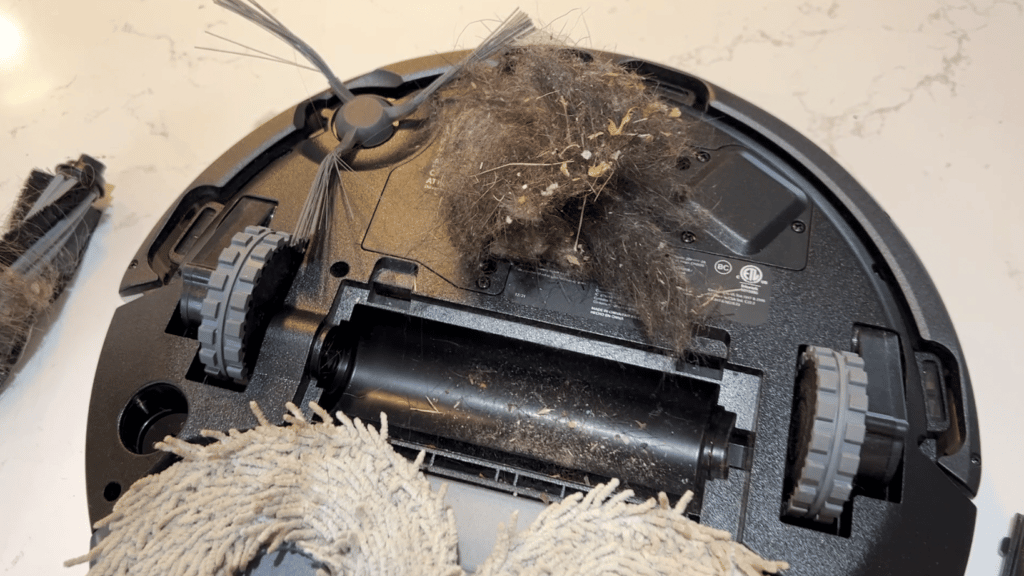 When it comes to robot mops, one of the last things you want is for it to roll over your carpet and soak them. Fortunately the Yeedi Mop Station Pro has a carpet sensor. In my testing with this, it’s noticeable right away. If the mopping plate is installed the vacuum will only venture its nose onto the carpet enough to detect it, then it will back away and keep the mopping pads off. This feature actually worked really really well.
In vacuuming mode and with the mop removed, the bot will increase the suction to MAX for deep carpet cleaning from deeper carpet fibres.
Battery life & charging
The Yeedi Mop Station Pro has a built-in 5200mAh battery fuels up 180mins of runtime on a single charge. That’s a large size battery and excellent battery life.
The bot will automatically recharge and resume cleaning if it needs to in a larger space. Since my home is only about 1000 ft.², the robot was easily able to clean the space on a single charge.
One thing the robot did do in my testing is return to the base station to refill the mopping tank as needed. I’d say on a cleaning mission in my home it would return to refill its tanks about three or four times in order to scrub all 1000 ft.².
How well does Yeedi Mop Station Pro clean?
Let’s get to how well this robot cleans…
I put all my robot vacuum-mops through the same tests. I sprinkle finer flour, middle sized bits like rice or oatmeal, and larger cracker pieces on both carpet and hard floors to test the vacuuming. To test the mopping, I spill things like red wine, and let coffee dry.In my cleaning tests with the Yeedi Mop Station Pro I found the robot to be.. intermittent. Sometimes it cleaned really well. Other times, it didn’t.
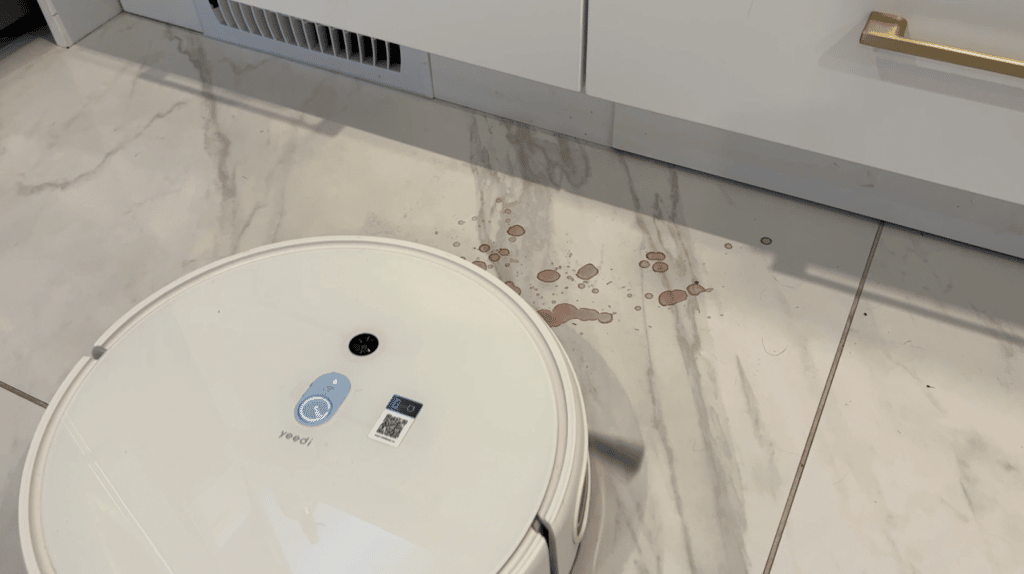 On hard floors in mopping mode, it missed part of this red wine spill, and never came back to finish the job, but in a later coffee spill it was able to mop it all up. I ran a few more tests and it was able to wipe up almost everything… but in some cases did leave enough behind it was noticeable…
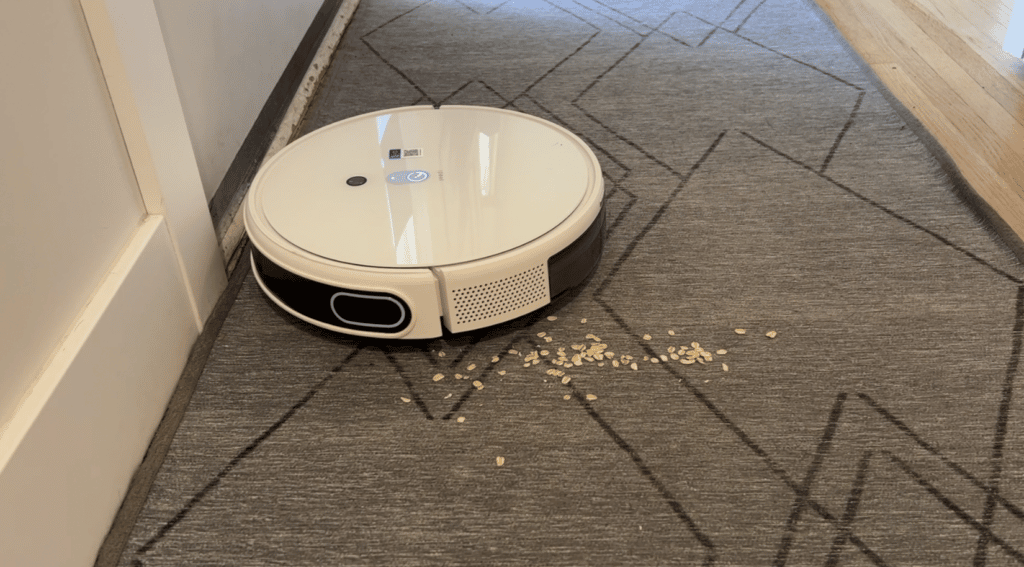
On tile in vacuum mode, On one dry spill of oats, it scattered most of it with its spinning brush and never got back to vacuuming it up. Another time, it did.
On carpets, it was similarly on and off. I ended up changing the setting on the bot to clean spaces twice, and I found that went a long way towards improving the overall cleaning performance.
Voice control
As most robot vacuum mops do these days, the Yeedi Mop Station Pro has voice control through Google or Alexa. You will need a separate Google or Alexa device in order to set this up, and I opted to connect mine to my Google Home system.
Getting this to work is as simple as going into the Google home app, and looking to see if Google has already found your robot, which mine did. If not, you can follow the prompts to add a new device. Your link the Google home app to your Yeedi app by logging into your Yeedi account. This was straightforward and easy and I had voice control right away. From there I was able to ask Google to send the bot out, or send it home.
Overall review: Yeedi Mop Station Pro
So when it comes to whether or not I’d recommend this bot, it’s got some good qualities and some concerns… so I’m pretty torn.
On the pro side, it mapped quickly but I wasn’t able to properly divide my largest room.
I like the design and the looks of the bot and it fits into the house nicely. I like that it both vacuums and mops, and I think the plush mopping pads can be very effective, and the water tanks are big.
 It will both vacuum and mop at the same time, though on the downside its dual purpose dustbin only holds so much dust when in mopping mode.
Mopping quality was really good overall and the vacuuming though sometimes not great on hard floors was better on carpets and rugs and the dustbin proves it picks up a lot of dirt!
Other Downsides? I do wish the mop station was also able to handle automatic emptying of the onboard dust bin. (As I noted, you can get that on other robots like the ECOVACS Deebot X1 Omni and Roborock S7 Max V Ultra, but those cost almost double what this one does.)
I’ll leave it to our readers to see if the pros outweigh the cons.
The Yeedi Mop Station Pro sells for about $749US/$999CAD.
**A note about Affiliate Links: TechGadgetsCanada is supported by our readers. Occasionally I will include affiliate links in my reviews. I do this partly for convenience of the reader (since I’ll almost always include a link to the company website or similar anyway) in case you want to read more or purchase, but I also may get a small commission from the click, which helps me keep the blog running. If you choose to use this link I thank you greatly for supporting the blog. There’s no obligation or cost to you for using these links. As an Amazon Associate I earn from qualifying purchases.



